Home
🎁 30-Second Quick Experience
Don't want to import? Open the app and click "Load sample data" on the empty state — see a full asset wall and analytics in 30 seconds. Clear it anytime.
Auto platform detection · Auto emoji matching · Auto deduplication — 📥 Import Guide
💡 Why This Project?
There's no shortage of bookkeeping / asset management tools, but a few things always get on your nerves:
- 💸 Paid — the good features are all behind paywalls, costing more the more you use them
- ⌨️ Manual — you have to fill in every record by hand, and you're already tired before you even start
- 🗂️ Scattered — JD.com, Taobao, Steam, WeChat each keep their own records, and your spending picture is fragmented
But have you ever thought: every item you bought on every platform — the order info is yours by right. It shouldn't be locked away in shopping history, and it definitely shouldn't force you to copy it over by hand.
That's why DailyCost Vault exists — a free, easy-to-use, feature-complete new app that gathers those scattered orders in one click, lets the data speak for itself, and helps you truly understand your spending habits.
🐰 BunnyChen doesn't expect you to use it daily or depend on it long-term. Just hope that in some unguarded moment — maybe looking back, maybe calculating the real cost of something — you suddenly "get it," marvel at your own past, and gain a little interesting insight. That moment alone is already meaningful.
Core Innovation
🧮 Daily Average Cost
An item costing ¥1000 used for 1000 days costs only ¥1/day. An item costing ¥100 used only once costs ¥100/day.
Cheap ≠ economical. Expensive ≠ wasteful. DailyCost Vault independently calculates the daily average cost for every item — across In Use, Sold, and Retired states — making "money-burning" assets visible at a glance.
📥 Smart Import from 5 Platforms
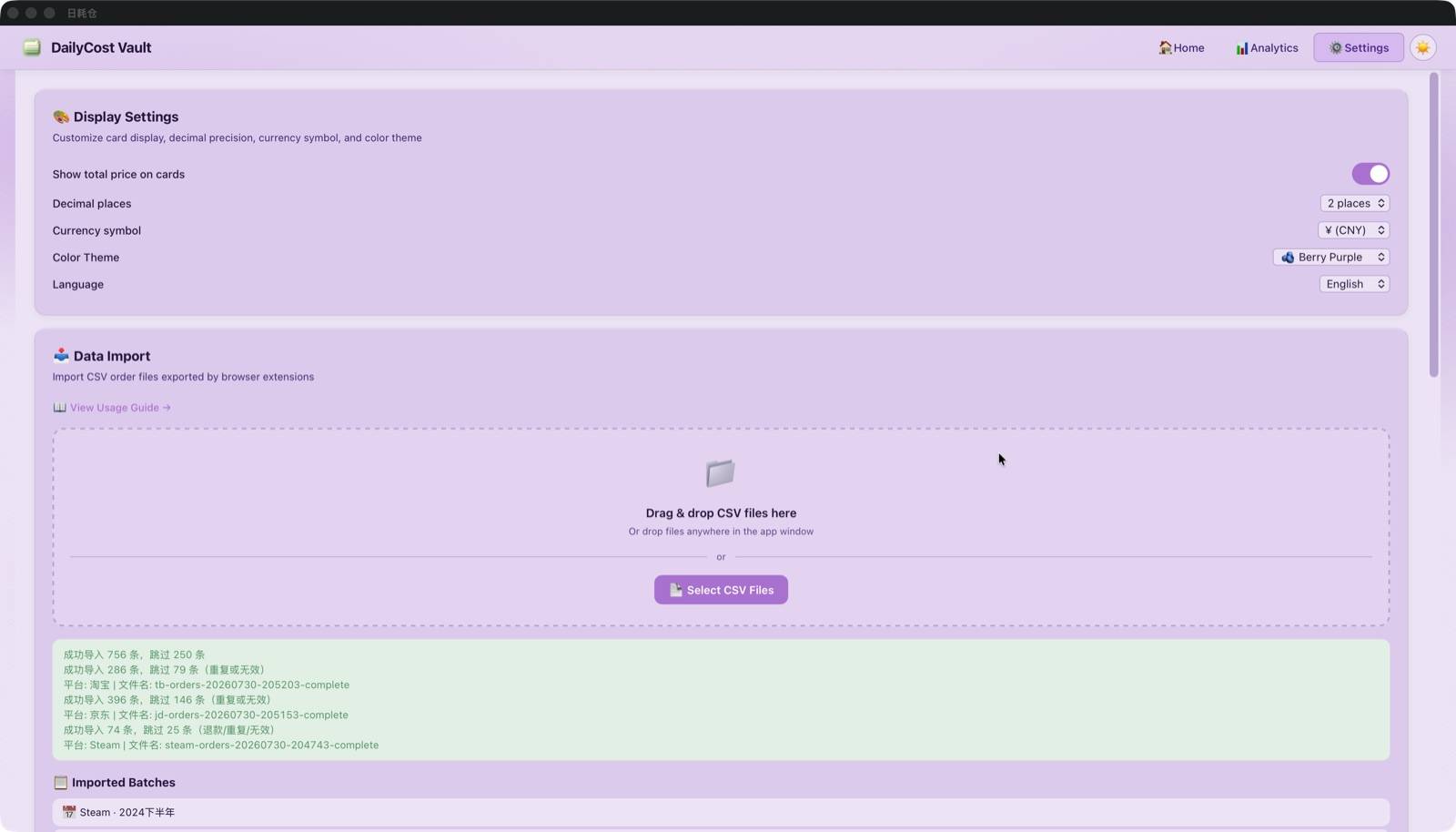
Drag and drop JD.com, Taobao, and Steam order CSVs, plus WeChat and Alipay bills (CSV / Excel). Dual parser (Rust backend + TypeScript frontend), auto platform detection, invalid order filtering, emoji matching, multi-item merge, auto GBK encoding detection for Alipay exports, and graceful handling when columns are filtered out. Batch preload deduplication — tens of thousands of records imported in seconds.
🔒 Fully Local Data
SQLite database with local persistence, zero server dependency. Your spending data never leaves your device. No user accounts, no cloud sync, no spending-data tracking. Export backups anytime.
Interface Preview
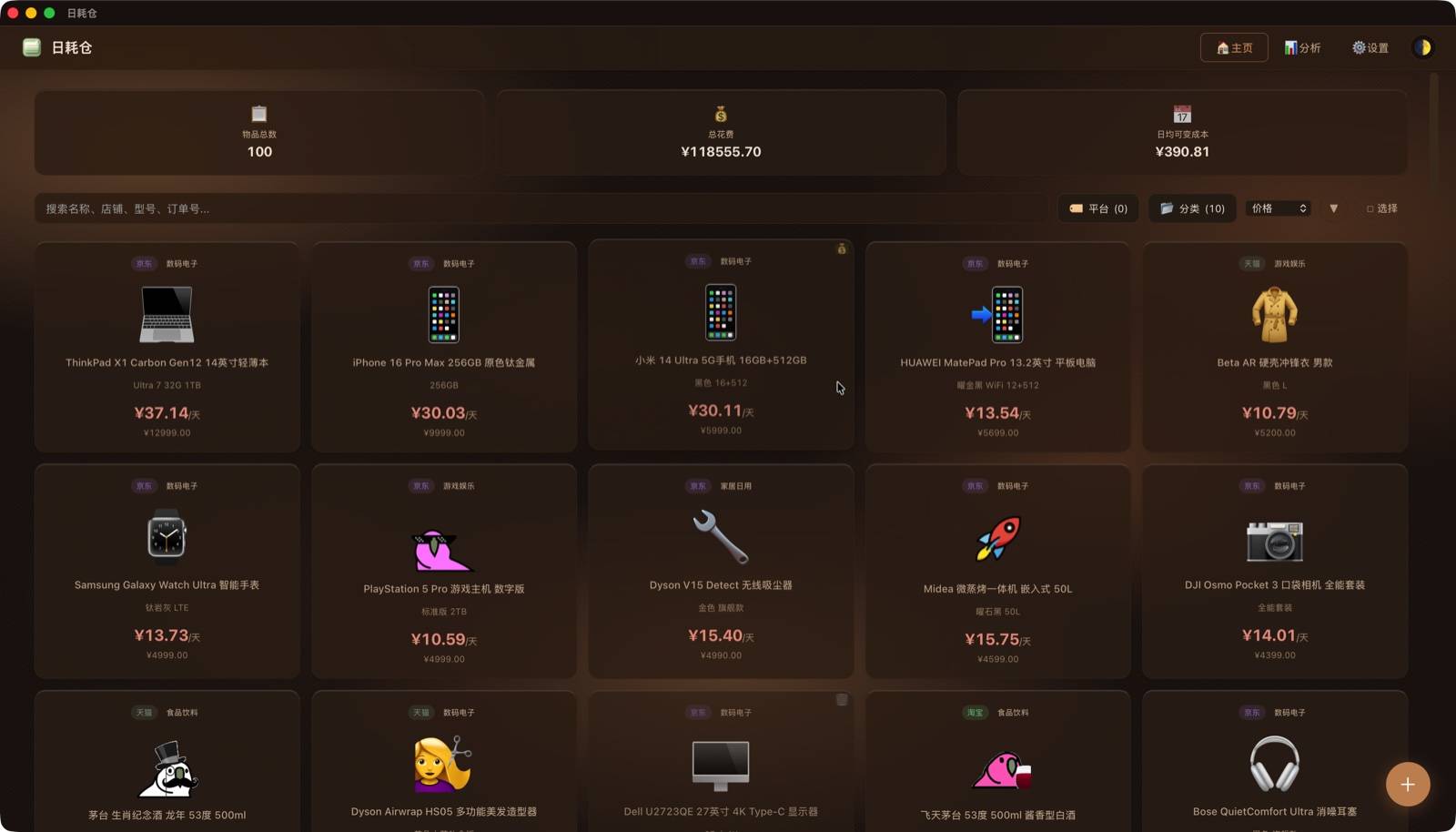
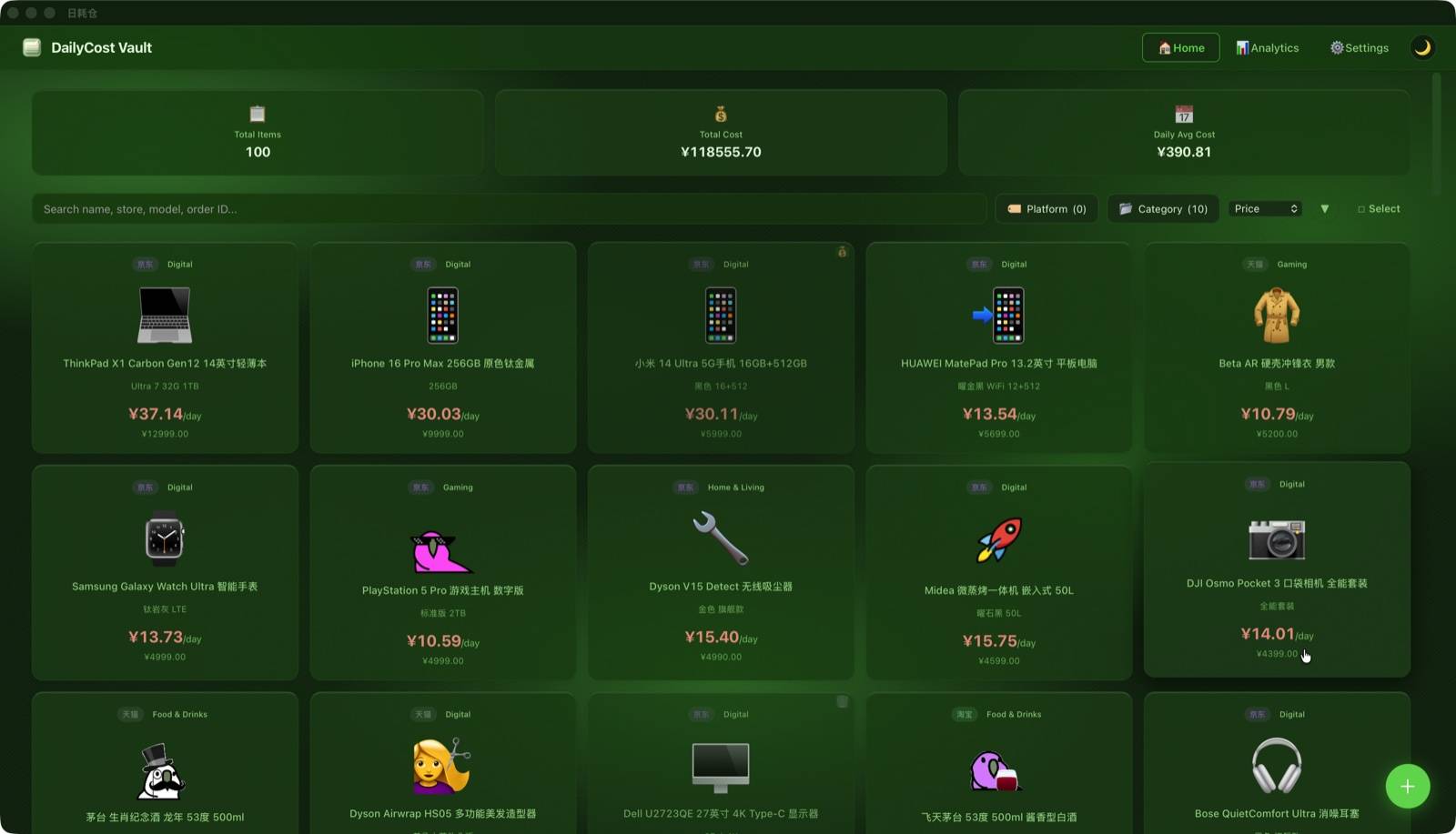
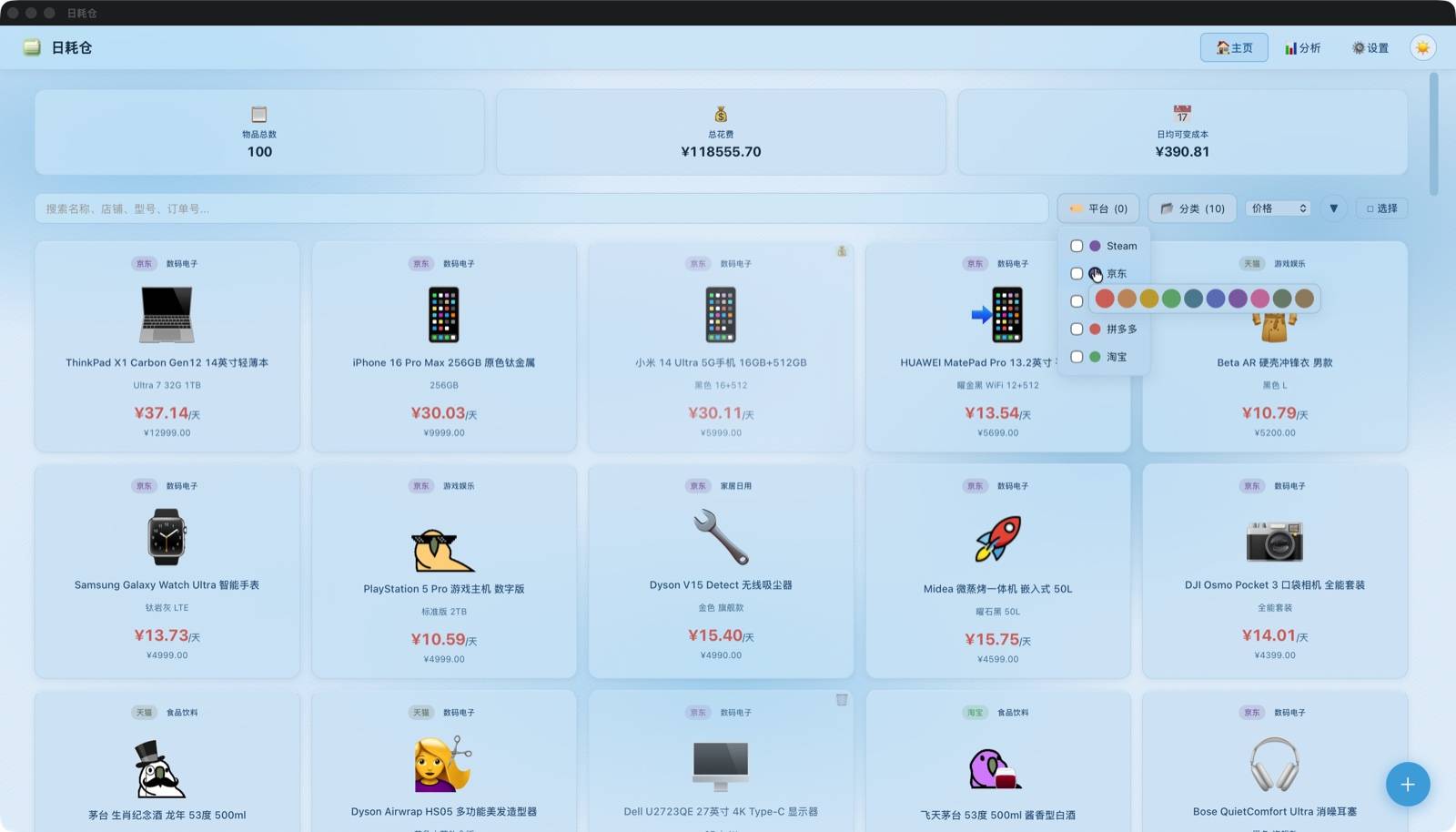
Asset Cards · Spot Money-Burners at a Glance — Stats bar, keyword search, multi-dimensional filtering, flexible sorting. Green = earned back, Red = burning money. Every item's value is clear.
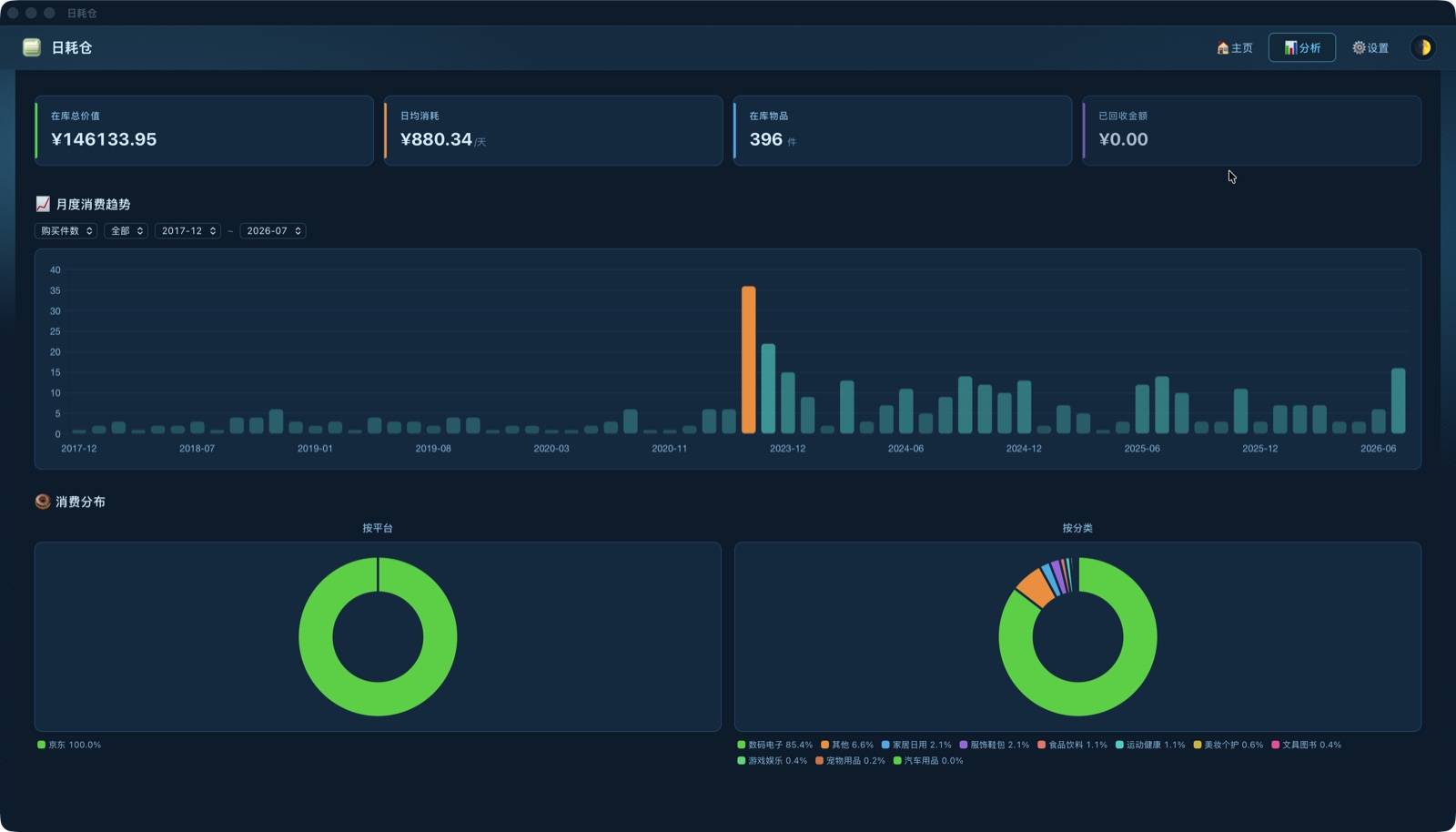
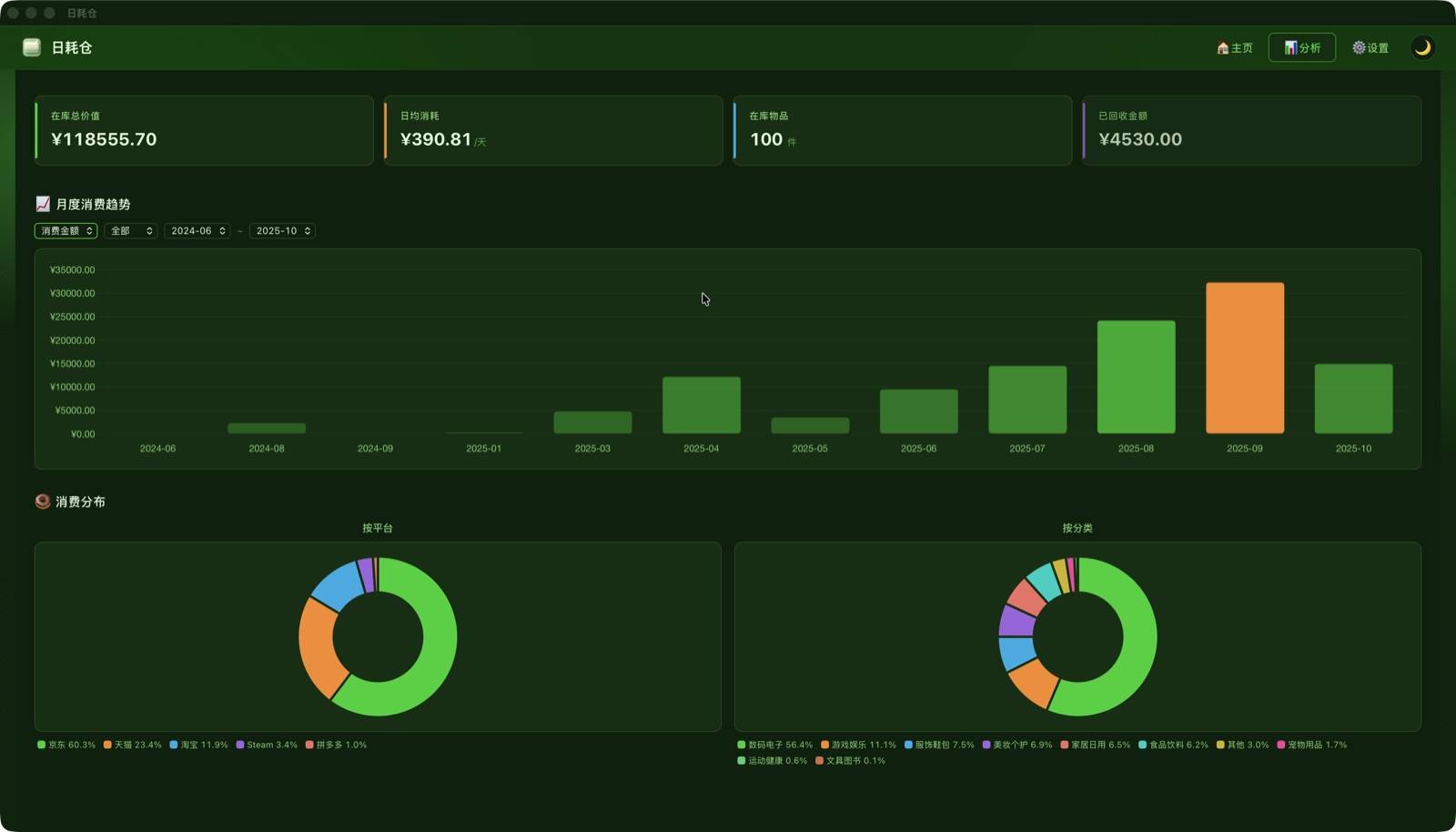
Analytics · Understand Your Spending — Monthly spending chart with platform/time filters and chart toggle. Bar chart drill-down to see monthly items. Dual pie charts for platform and category on one screen.
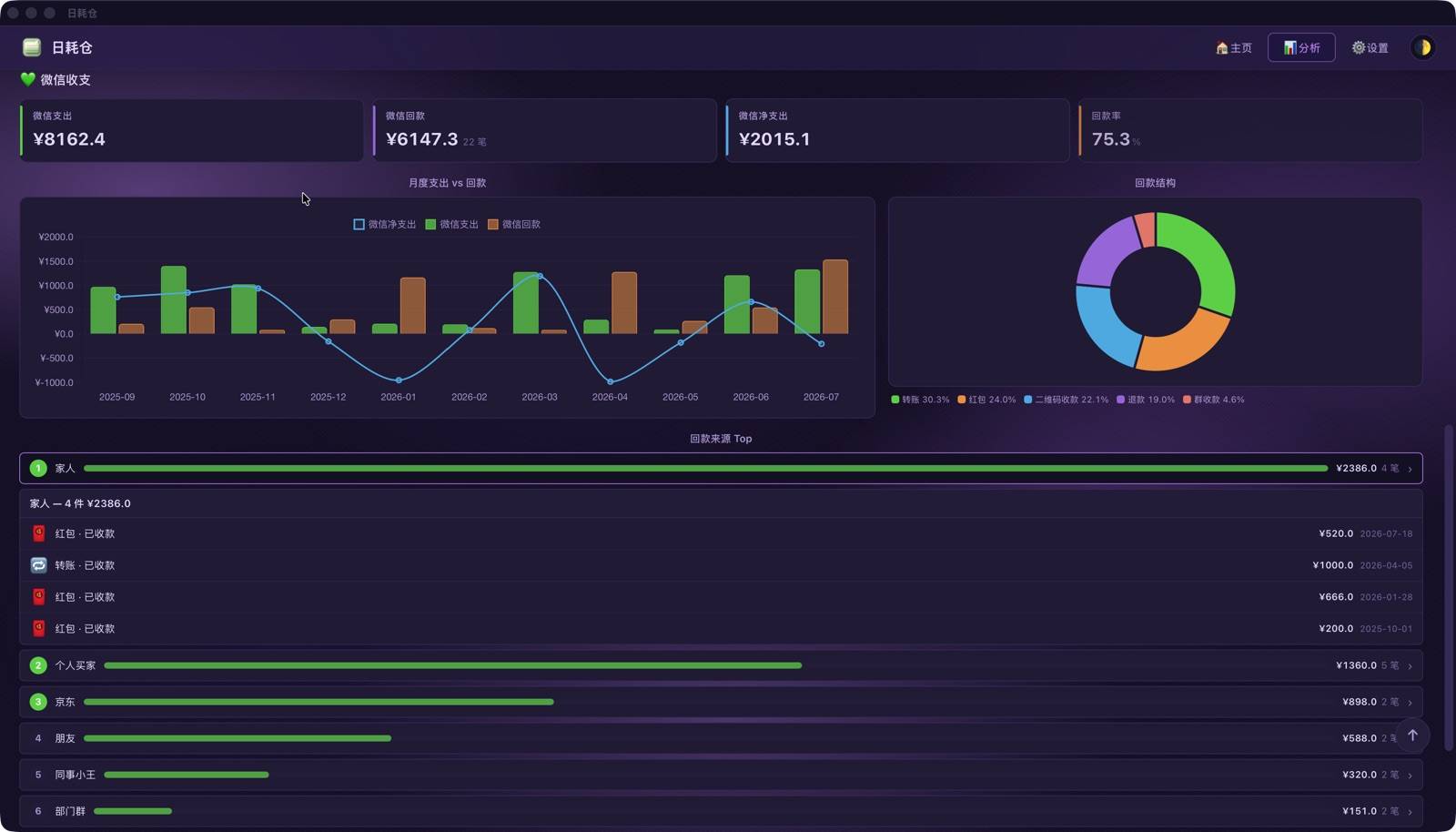
WeChat Cash Flow · Daily Spending in Focus — After importing WeChat bills, the analytics page adds a WeChat section: expenses / cashback / net spending at a glance, with cashback structure, Top 10 sources, and monthly trends.
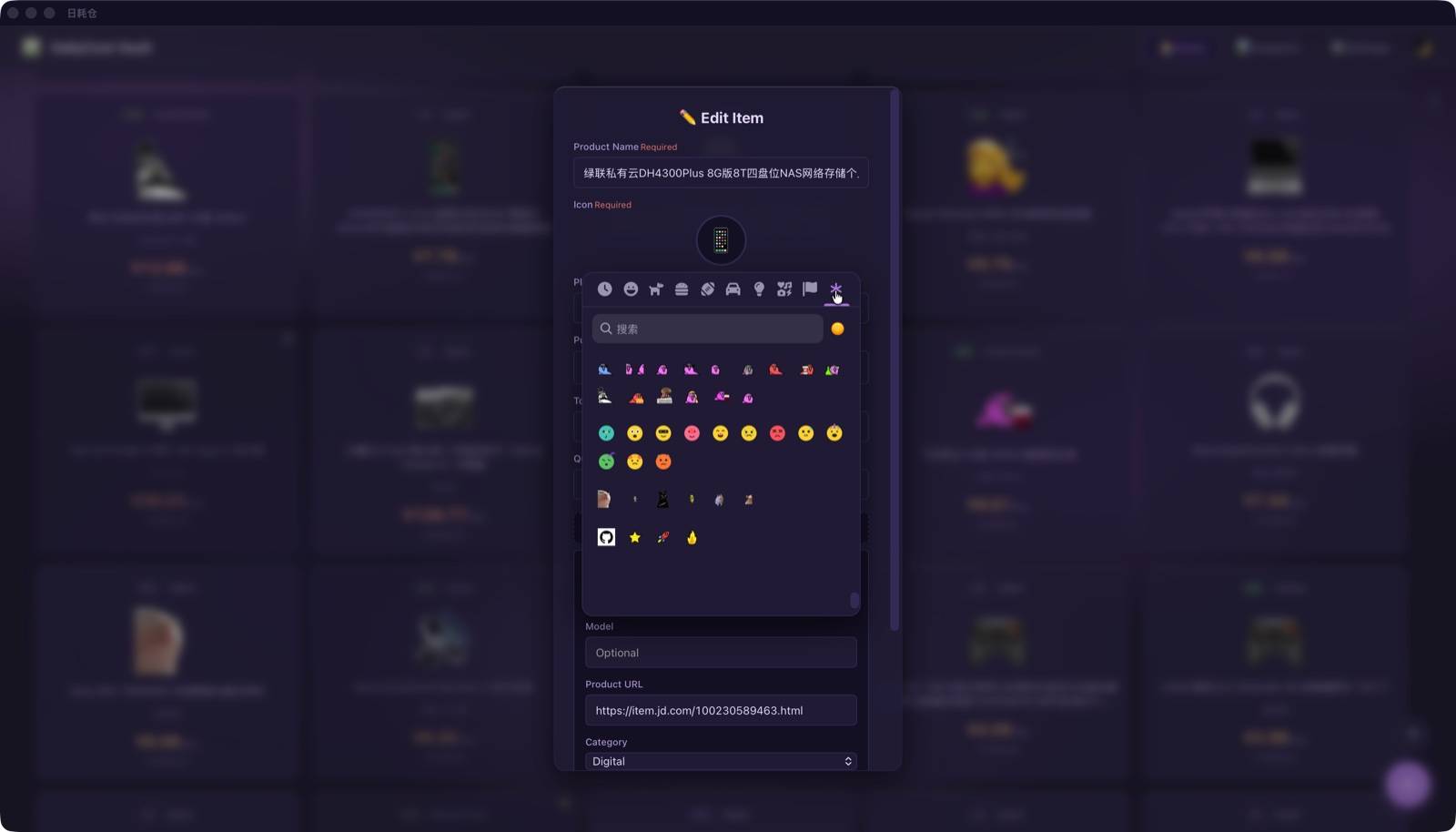
Custom Emoji · Thousands to Choose — Full emoji-mart Unicode emoji set + 37 custom emojis (Party Parrots / Blob / Cats / Mascots across 4 categories). Pick directly in the picker.
🔒 Privacy & Security · A Solemn Promise
DailyCost Vault runs fully offline and stores all data locally. Never collect, upload, or peek into any of your data.
🗝️ The project is not open source yet, but BunnyChen promises never to collect, upload, or snoop on any of your data. Your data belongs only to you — please keep it safe. See Privacy Policy.
Source code is not public yet · All Rights Reserved · Your data always belongs only to you
🚀 Quick Start · 3 Steps
① Download & Install
② Import Data
Export JD.com / Taobao / Steam purchase history as CSV via browser extensions; export WeChat bills directly from the WeChat app.
③ All Set
☕ Support · Buy Me a Coffee
Maintained by one person — if you like it, buy me a coffee! 🥺


☕ Buy Me a Coffee

buymeacoffee.com/bunnychen
🧧 WeChat Reward

Scan to reward · Any amount
📬 Business cooperation / Enterprise customization / Platform integration: reach out via the reward links above